Northline — Booking Automation
When sales wins a booking, the planner gets an event record with the client, contact and venue already linked. The team can start planning without copying the booking by hand.
Sales confirms the booking.
Planners get the event.
When sales marks a deal as won in Pipedrive, planners can open the Airtable event and see when and where it takes place and who to contact. If the guest count changes, they approve the update on that same event.
What happens when a booking needs attention?
A booking is incomplete
Staff receive a Slack message identifying the missing detail. Other bookings can move ahead while sales corrects it.
The same booking arrives twice
The workflow reuses the original event. Everyone keeps working from the same schedule and planning notes.
Attendance changes
Staff compare the old and new counts in Slack. Approval updates the count and preserves the team’s assignments and notes.
In the demo, two repeat requests reused the original event. An approved attendance change updated the count from 65 to 66 on the same record.
Follow a booking through the handoff
Try a booking change example
The event starts with 65 attendees. Choose a situation to see what happens next.
The event plan waits for approval.
Sales changes the attendee count from 65 to 66. Staff see both numbers in Slack before deciding.
The event plan stays at 65 while staff review the request.
See the 4 connected workflows
01 / ReceiveSave the booking request
When sales marks a deal as won in Pipedrive, the workflow saves the booking request before confirming receipt.
Each saved request has a place in the queue while the planning record is prepared.
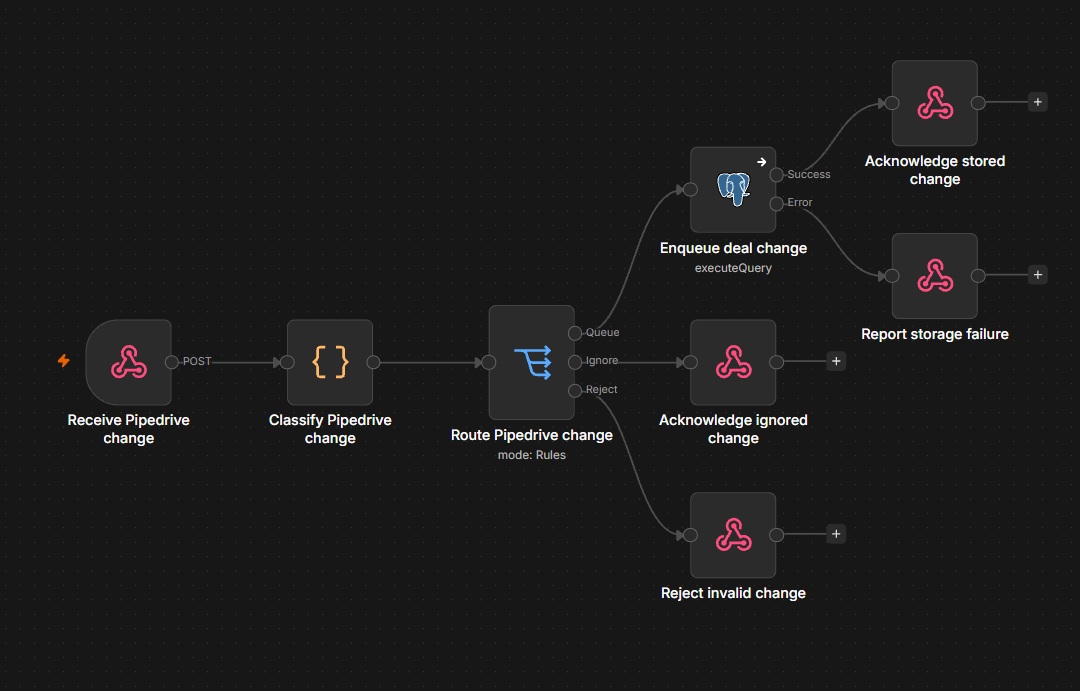 Save the booking requestView full diagram
02 / CreatePrepare the event for the team
The workflow checks the dates, time zone and venue, then links the client, contact and venue to the event in Airtable.
A coordinator can open the event and find who to contact, where to go and when the event starts.
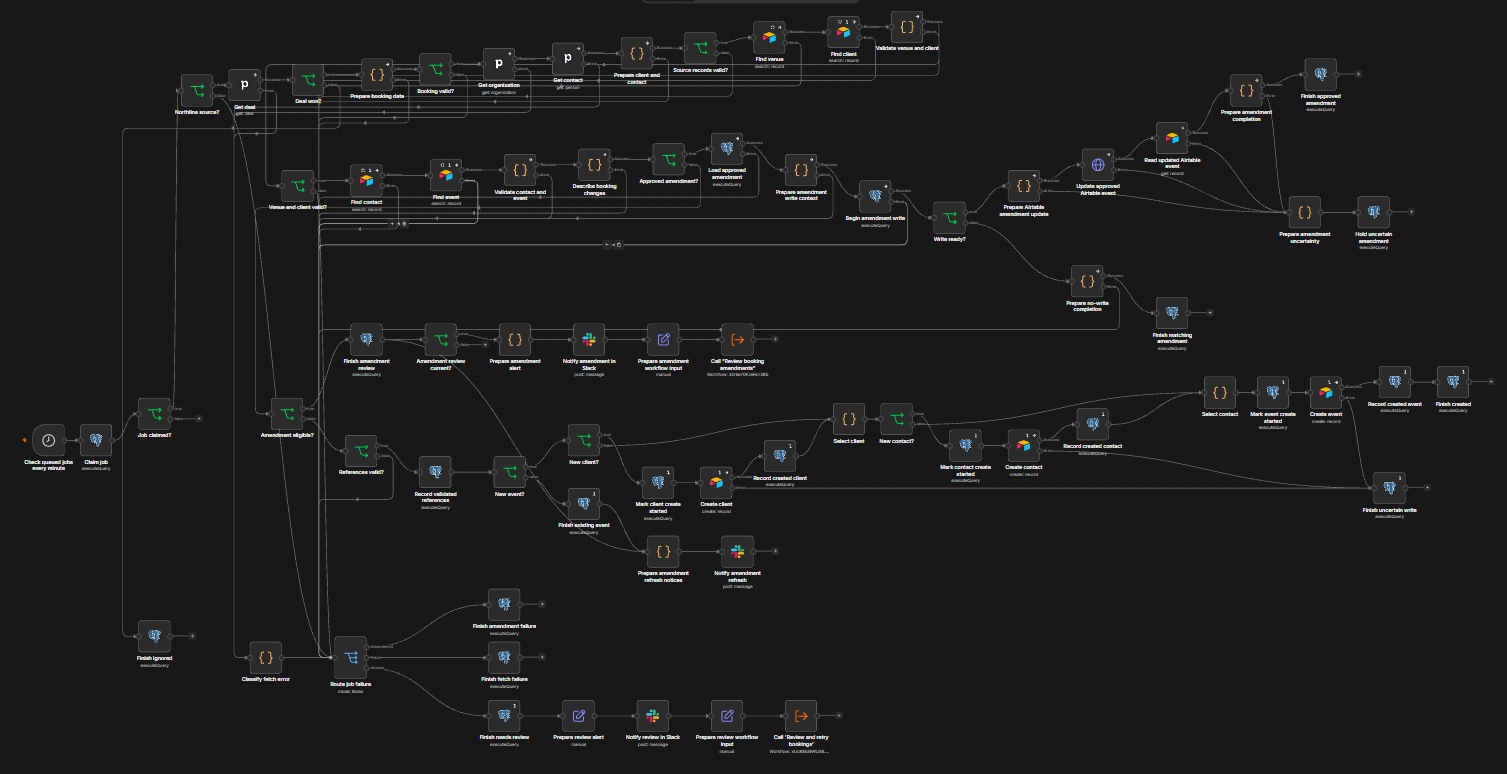 Prepare the event for the teamView full diagram
03 / ReviewHelp staff fix missing details
Slack tells staff what needs attention. They fix the details in Pipedrive and select Retry booking for another check.
A missing detail holds up only that booking. Staff can correct it while other events move on to planning.
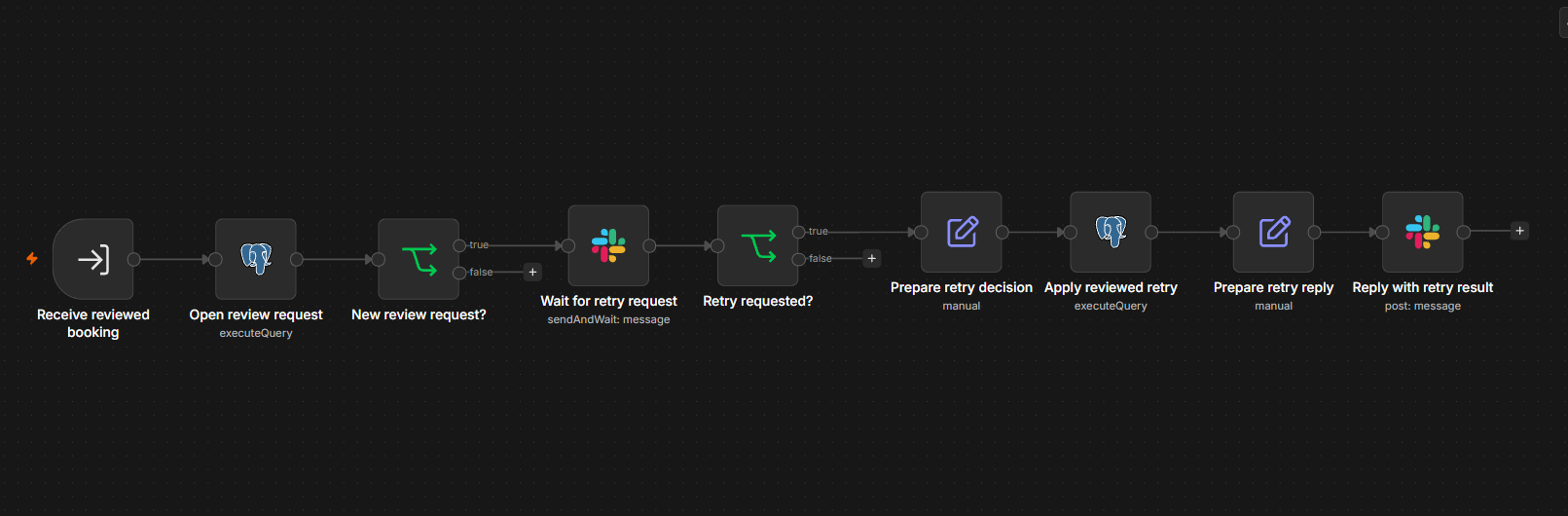 Help staff fix missing detailsView full diagram
04 / UpdateGet approval before plans change
Staff compare the current and proposed details in Slack. Approved changes are checked again before Airtable is updated.
Staff see which change they are approving. An updated guest count leaves their assignments and planning notes in place.
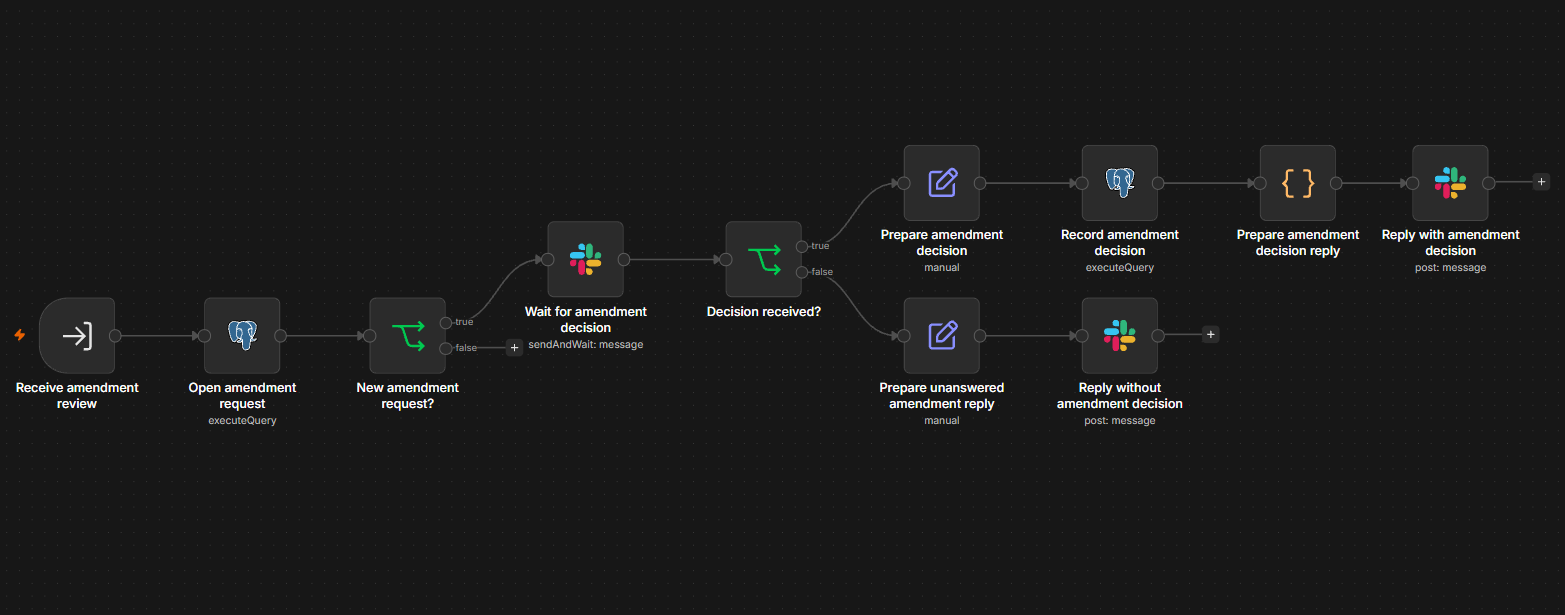 Get approval before plans changeView full diagram
What was checked?
Eight sample-booking checks covered new events, repeated requests, staff reviews and changes.
- A new customer books
- Created the client, contact and event with the correct links.
- The same request arrives again
- Reused the original records without creating another event.
- Missing details are corrected
- Checked the corrected details and created the event after staff requested a retry.
- One booking needs attention
- A second booking completed while the first remained on hold.
- Staff approve an attendance change
- Updated 65 to 66, then restored 65 on the same event after a new approval.
- Someone clicks an old approval
- Refused the outdated request without scheduling a booking update.
- Sales withdraws a change
- Closed the review when the checked details matched the accepted booking.
- Staff have already added notes
- Kept staff assignments, notes and other planning fields during the tested updates.
Before client use, more testing is needed for requests arriving at the same time, failed staff notifications, service outages, unclear save results and restoring backups.
Which tools make it work?
- Pipedrive
- Sales records the booking.
- n8n
- Checks and moves the details.
- Airtable
- Keeps the event plan.
- Slack
- Asks staff to review or approve.
- Postgres / Supabase
- Remembers work and decisions.
How does the workflow keep track?
A Postgres database hosted on Supabase records which bookings are waiting, which are complete and which changes staff approved. Sales and operations keep using Pipedrive, Airtable and Slack.
Explore a possible time saving
How much time goes into booking handoffs?
Enter your monthly booking volume and the minutes you expect to save by skipping manual entry.
This is an estimate based on your inputs. A full cost comparison would also include setup, hosting and support.
What does this demo cover?
Northline is a fictional event company in this portfolio demonstration. The walkthrough follows a confirmed sale into the planning team’s workspace, shows how the team corrects missing details, and traces an approved change back to the same event.