ClearNest — AI Receptionist
When the cleaning business owner is out on a job, Alex answers inquiries. Callers can choose a time to hear back or leave a message.
A time to call back.
The request in hand.
When the owner is busy, Alex can agree on a callback time with the caller or take a message. The owner gets an email with the number and the cleaning request, ready for a conversation about the job.
A callback is a phone call from the owner to discuss the cleaning job and price.
What the owner has after the call
See what happens when a caller books a callback or leaves a message.
A new lead asked about cleaning a two-bedroom home and chose a 9 a.m. callback.
A confirmed time
The 9:00–9:15 a.m. callback appeared on the owner’s calendar.
The caller knows when to expect the call.The cleaning request
The call log includes the callback number and the request for a standard clean of a two-bedroom, one-bathroom home.
The owner can discuss the job without asking for the same details again.A briefing for the owner
The workflow emailed the owner the booking and cleaning details.
The owner can prepare a few questions before calling.How Alex handles the follow-up
Open a step to see how the call becomes a calendar entry or a message for the owner.
01Offer times the owner has free
What happens
Alex checks the owner’s calendar and offers up to 3 available times for a 15-minute phone call.
Why it helps
The caller can choose a time on the first call, saving the owner a separate exchange just to schedule it.
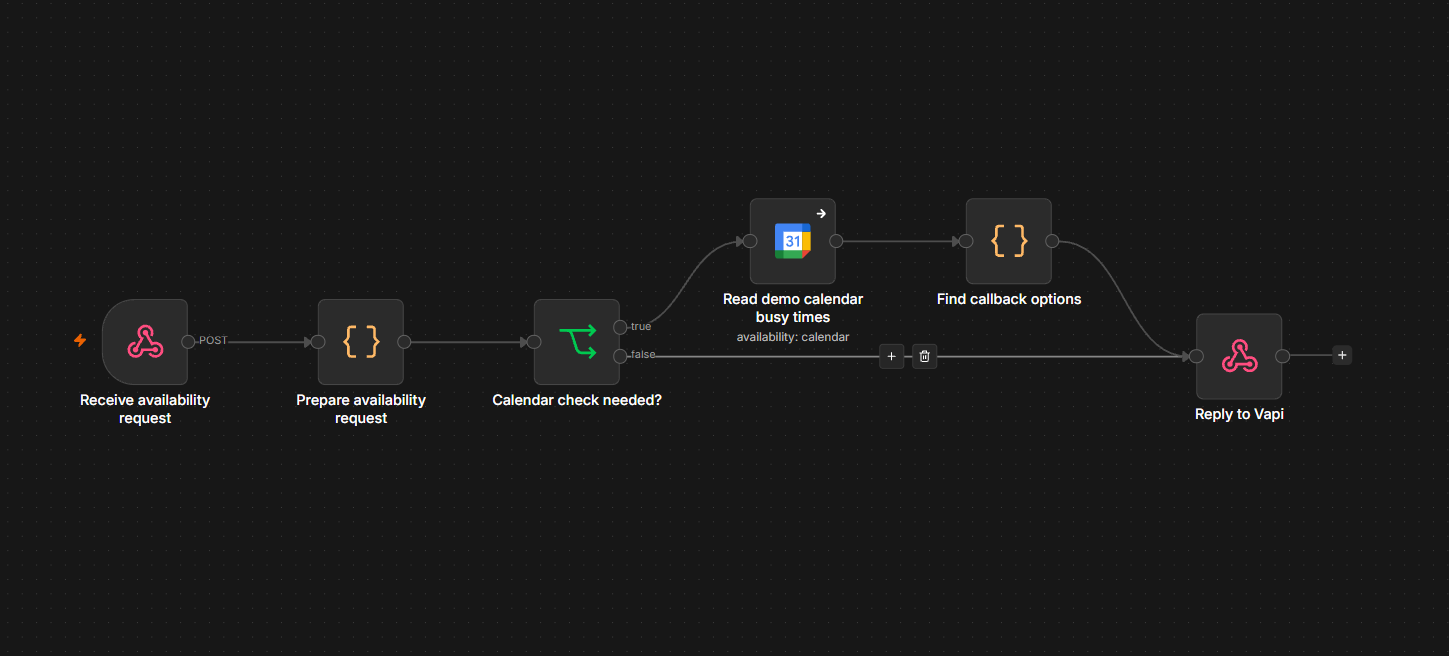 Open full-size workflow 01
02Book the callback after approval
What happens
Alex reads back the request and waits for the caller’s approval. The workflow rechecks the time, books it and verifies the calendar entry before Alex confirms.
Why it helps
The caller can correct a number or change a time before booking. The owner gets the agreed details with the calendar event.
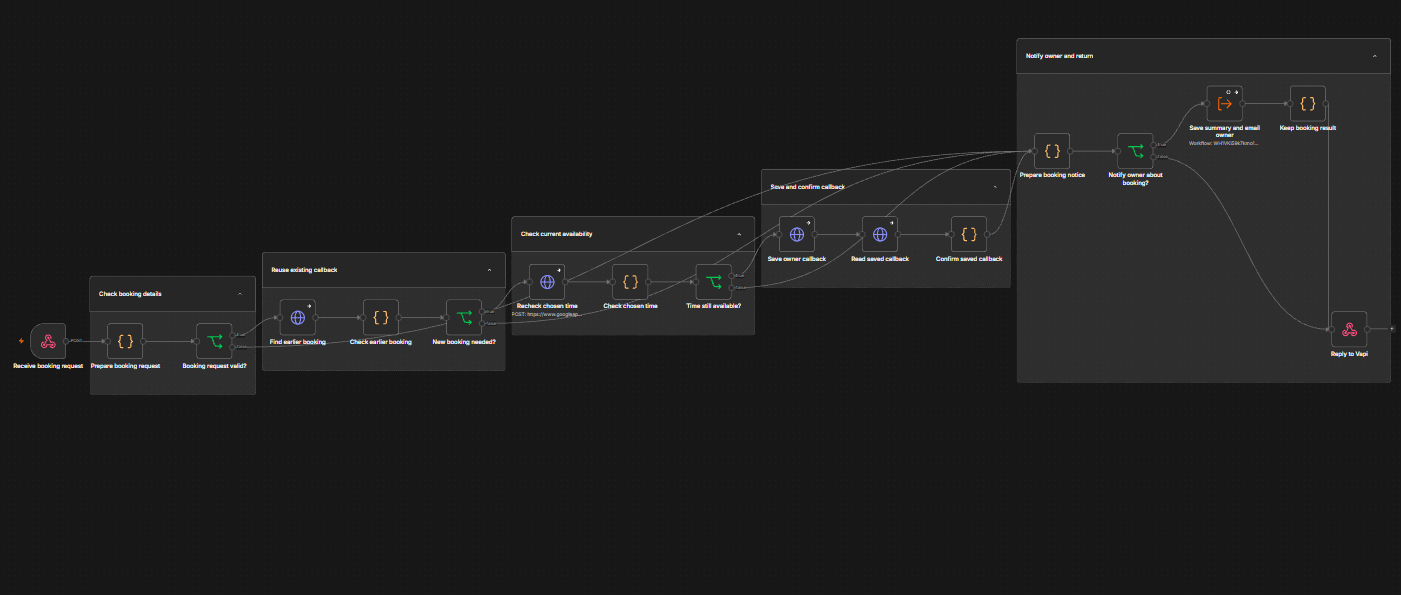 Open full-size workflow 02
03Send the request to the owner
What happens
The workflow saves the booking or message in a shared call log, checks that it was saved, then emails the owner the caller’s name, number and request.
Why it helps
The owner can return the call straight from the email. The team has a copy of the original request if the caller gets back in touch.
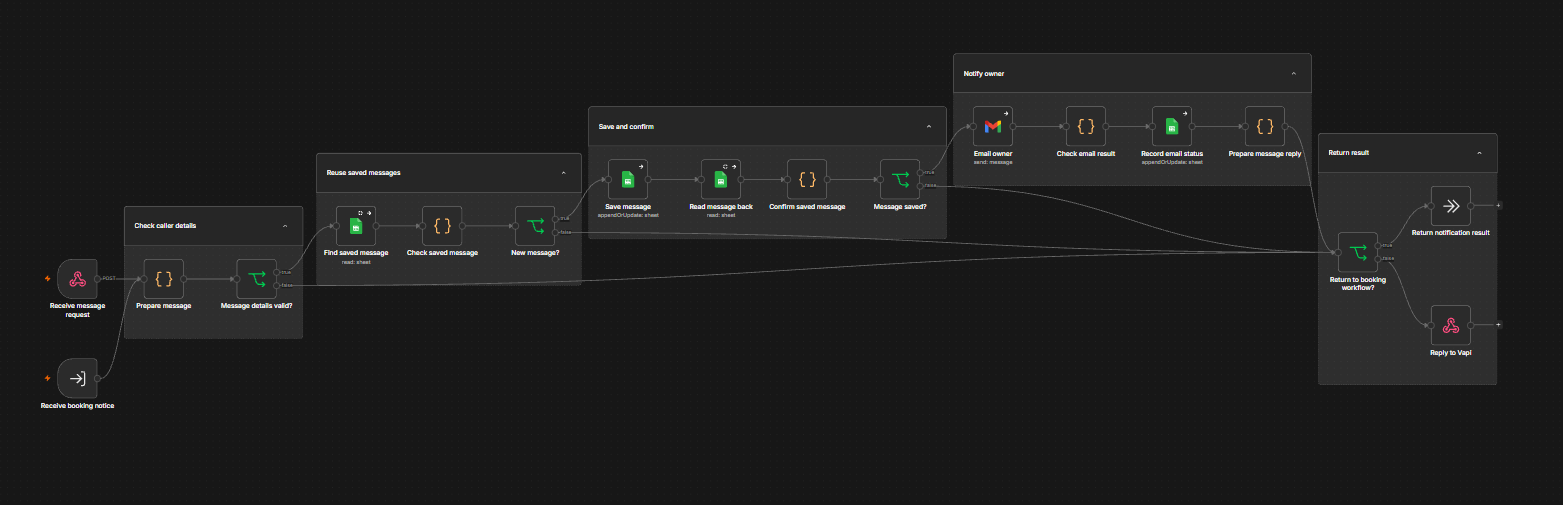 Open full-size workflow 03
How was the result checked?
The booking appeared in Google Calendar, both requests appeared in the call log, and Gmail accepted the owner emails. In a separate call, the caller said “not yet.” Alex waited for their approval before sending the message.
Which tools make it work?
- Vapi
- Gives Alex a voice and handles the conversation.
- n8n
- Moves the request between the connected tools.
- Google Calendar
- Checks free times and holds booked callbacks.
- Google Sheets
- Keeps bookings and messages in one call log.
- Gmail
- Sends the owner the details for follow-up.
What does this demo cover?
Alex handled callbacks and messages in browser calls. The owner decides the cleaning date and price. Before a client launch, the remaining checks cover real phone calls, access controls and two people choosing the same time.