AI-Powered Lead Reactivation
A personal check-in goes to eligible leads after more than 30 days without activity, giving people who put an inquiry on hold an easy way to reconnect.
“We’re ready to move forward now.”
Daniel Reyes had put his inquiry on hold the month before. When the company checked back in, he replied that he was ready to move forward. HubSpot shows his status as Qualified. In Gmail, a salesperson can read Daniel’s reply and continue the conversation where he left off.
A first follow-up, already sent
The team can see when someone was contacted and read the check-in on their HubSpot record.
Interest the team can act on
An interested reply marks the lead as Qualified. A question gets a response in the same Gmail thread, and a decline updates the lead’s status.
A person picks up the next reply
If the lead writes back after two automated replies, staff get the latest message and a link to the contact so they can take over.
How the team handles follow-up
From a quiet inquiry to a sales follow-up
- Look for contacts whose last activity was more than 30 days ago. Check their email, opt-out and reactivation status before sending.
- Send a personal check-in through Gmail and log the outgoing email on the contact’s HubSpot record.
- Read the reply in context. Record renewed interest, answer a question, acknowledge a decline or ask for clarification. A request to stop sets the opt-out.
- When a lead writes again after two automated replies, alert the team by email and Slack with the latest message and contact link.
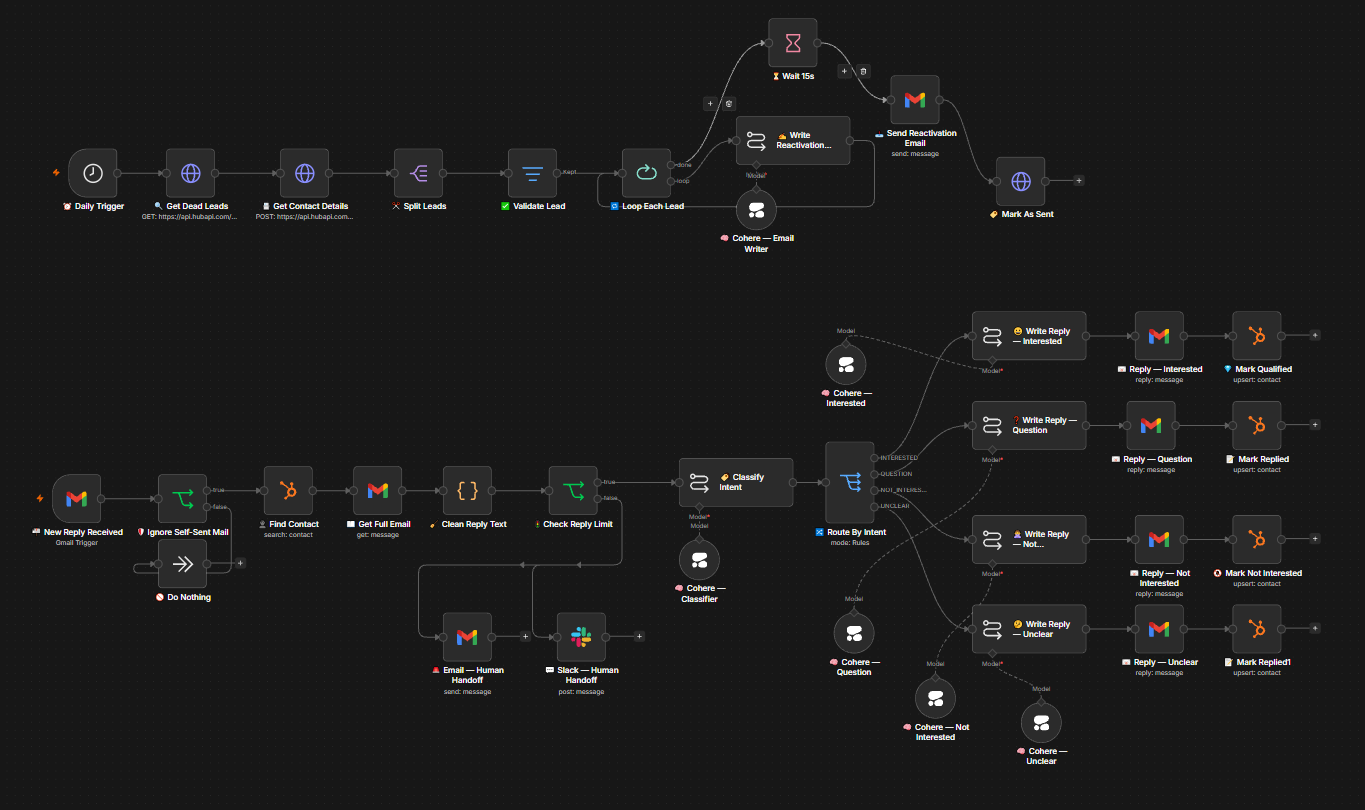 Open the full workflow
How staff find out if a run fails
A separate workflow is designed to alert staff in Slack if a run fails. The team can check which step stopped and decide whether a contact still needs a follow-up.
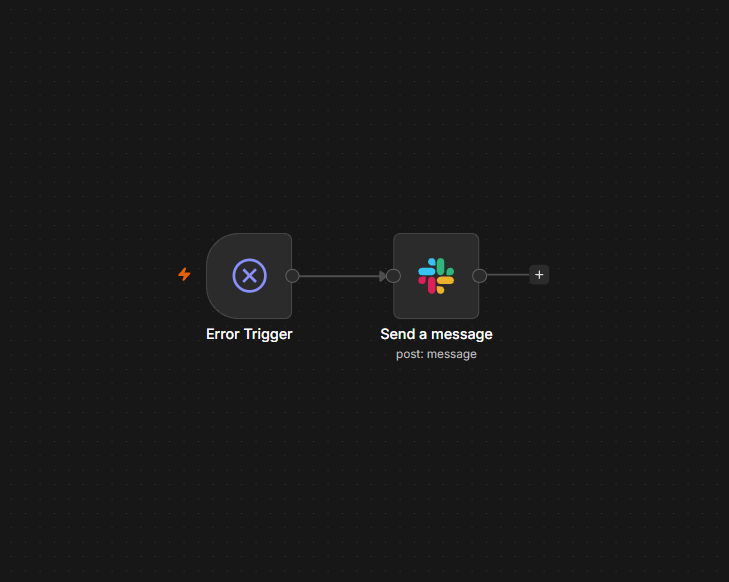 Open the alert workflow
Which tools make it work?
- HubSpot
- Keeps contact details and the latest follow-up status.
- Cohere AI
- Drafts emails and helps understand replies.
- Gmail
- Sends check-ins and receives customer replies.
- Slack
- Brings handoffs and error alerts to the team.
- n8n
- Connects the steps and moves information between tools.
What does this demo show?
The recording shows Daniel’s check-in in Gmail, his Email Sent status in HubSpot, and his exchange with the company in the original email thread. The staff alert at the end comes from a separate handoff run.